Executive Assistants
Executive assistant to COO: How can they help?
Jul 19, 2024
5 min read


Have you ever wondered what an executive assistant to COO can do to support this position? If you’re a COO yourself, you’re in luck, because we’re giving you a list of 19 different ways in which a COO can leverage their EA.
Table of contents
- Why should COOs get an executive assistant?
- How can the executive assistant to the COO help?
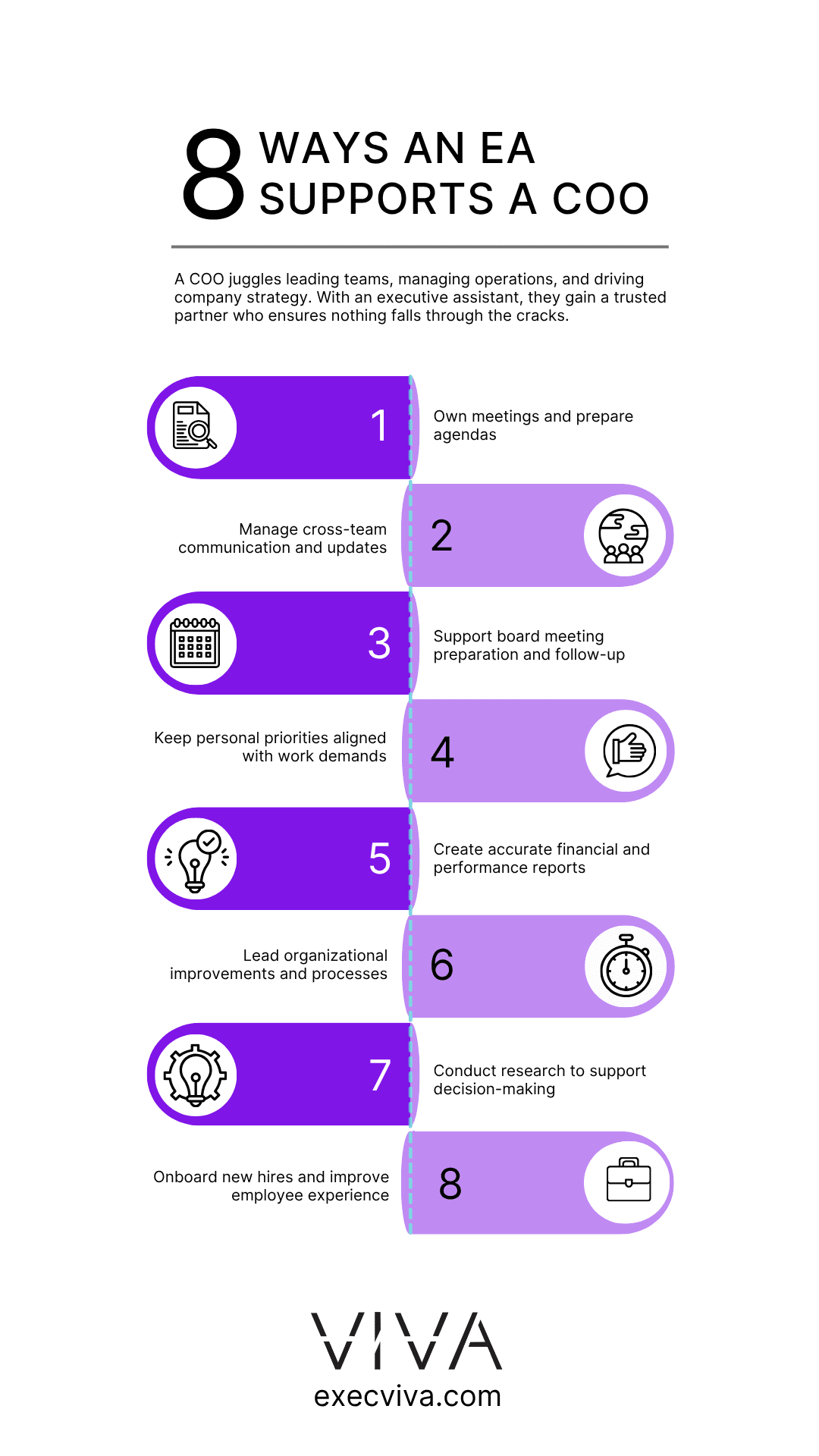
- 19 ways COOs can leverage their executive assistants
Why should COOs get an executive assistant?
The higher you climb on the company ladder, the more responsibilities you have. This is true for all C-level executives, and virtually anyone who leads a team, but almost no one has as many responsibilities as a Chief Operating Officer.
COOs not only have their own workload to manage, but they also need to lead their teams. On top of that, they’re also responsible for overseeing the operations of the entire company. But how can a single person do so much? The reality is, they probably can’t do that much. A COO who doesn’t have an executive assistant will inevitably watch as one (or several) aspects of their role fall through the cracks.
If you’re too busy managing supply-chain delays, you will neglect other priorities. Maybe you haven’t looked at the latest production numbers or perhaps you forgot to check the financial report that’s been sitting in your inbox for way too long. You probably worked extra hours to get to the end of your to-do list, but there’s still too much you haven’t crossed off. It’s not just you: There’s simply too much to do and only a few hours in the day to tackle what needs to get done. The solution? Get your own executive assistant.
How can the executive assistant to the COO help?
Executive assistants are often assumed to be generalists who can only take care of basic administrative tasks, such as managing your email and calendar, planning your trips, or keeping track of your expenses, but there’s so much more they’re capable of taking on – if you let them.
At Viva, we’re experts in finding and training top-notch executive assistants and pairing them with startup executives all over the US, so we know a thing or two about what an executive assistant really does. The first thing you need to know is that an outstanding executive assistant will become an extension of yourself. They will learn to operate in the same way as you and even think in the same way as you.
The second – and most important –thing to know is that the executive assistant’s role is highly malleable. They will deliver strong value to each executive they support and become proficient in every tool, process, or methodology you need them to learn. We went to all the Viva EAs who support a COO and asked about the specific ways in which they provide support, and this is what they told us.
19 ways COOs can leverage their executive assistants
1. Delegate meeting ownership
Your executive assistant can take charge of any type of meeting. One of ours took charge of the monthly all-hands meeting. They gather input from teams, create the monthly deck, and host the session, highlighting cross-functional support, dependencies, projects, and wins across the organization. Another EA leads the engineering all-hands monthly meeting for over 65 participants, ensuring the deck is organized and all participants contribute relevant information.
2. Manage cross-team communications
A Viva executive assistant manages the COO’s Operative Scorecards, encompassing org/team level OKRs and goals, serving as the primary communication source between GTM Leads and the Leadership Team, and providing bi-weekly updates.
3. Support with board meeting prep
One of our executive assistants aligns dates and workflows across the leadership team for the BOD (board of directors meetings) and supports in creating the deck. In this way, they ensure team leads contribute necessary input to showcase the organization’s performance.
4. Keep your personal life a priority
This executive assistant’s COO is based in Germany but works Pacific Time hours. To calibrate their executive’s work schedule with San Francisco-based times, they adjust family DNS (do not schedule) blocks on their calendar, ensuring the executive’s personal life remains a priority.
5. Create financial reports
Entrust highly impactful reports to your EA. One of our executive assistants restructured the financial model for accuracy, allowing for revenue and cost projections. They tracked expenses and revenue and created an end-of-month financial report shared with the co-founders.
6. Implement organizational improvements
Your executive assistant can create processes and systems that make your organization better. One of our Viva EAs took the lead on organizational improvements such as website/domain migration, creation of efficiency templates (Google Docs, Slides, Sheets), and Google Drive organization. You don’t even need to get too involved; often, a skilled EA will see there’s room for improvement and propose new approaches.
7. Conduct market research
Doing extensive research can be highly time consuming, and if you want to find more about a certain audience or competitor, you need to do a thorough investigation. This is a great task to delegate to your executive assistant, because they can conduct market and industry research for various projects to support decision-making, including research for programs with high impact.
8. Support company-wide processes
If you want your executive assistant to support the HR function, follow this EAs example: they research and set up employee benefit policies, provide social media management, coordinate and plan travel, and manage communication with external partners.
9. Nurture professional relationships
One of customers wanted to put in the time to build her network, but didn’t have the time to do so. That’s when she entrusted her EA with this task. She developed a comprehensive set of email templates in HubSpot. These templates allow them to quickly send consistent messages, such as “Thank you for your time” or “Great to meet you,” following conferences and meetings. This approach not only saves valuable time but also ensures uniform and professional communication across all interactions.
10. Track application processes
If you’re constantly applying for different processes, like this customer of ours, you know that keeping track of all of them can get pretty chaotic pretty soon. This customer’s EA created a Google Sheet to track application questions, providing visibility on progress and enabling team collaboration. They ensured a clear overview of completed and pending tasks, facilitating final reviews before submission.
11. Onboard new hires
An executive assistant developed a Google Sheet tracker for applications, an onboarding tracker, and surveys via Typeform. They automated these through HubSpot and Asana to ensure all necessary tools and preparations were in place for new hires, creating a streamlined onboarding process.
12. Establish effective async communication
When you let your EA work closely with you, they quickly learn your work preferences and pet peeves. They know you like to check your email first thing in the morning, or that you don’t take meetings before 11:00 a.m. That’s how they manage to communicate with you without even asking you to jump on a call. It may sound liek telepathy, but it’s simply a well thought of system. One of our EAs uses a color-coded calendar system to identify meetings needing adjustments, enabling efficient rescheduling without additional communication, so their exec knows what everything means with a simple glance.
13. Follow up with your direct reports
You probably have weekly 1:1s with all your direct reports, but are you keeping track of previously discussed action items? Ask your EA to follow this one’s example: she meticulously documents action items from staff calls, facilitating effective follow-up and ensuring tasks are completed promptly and efficiently post-meeting. This thorough approach helps maintain accountability and keeps the team on track.
14. Reduce meeting overload
If you’re going to spend an entire day going from one meeting to the other, they better be worth your time. One of our Viva executive assistants formulated a strategy to reduce her executive’s meeting load, aligning with the desired meeting culture. They ensure all meetings have active leader participation to unblock issues, clear agendas, and streamline attendees for effective discussions.
15. Keep track of pending items and hold you accountable
You may be your EAs direct boss, but one thing is certain: they will hold you accountable and make sure you don’t overpromise and underdeliver. A good executive assistant will send you constant reminders of priority topics such as meetings, documents that need your review, and emails waiting for your response.
16. Plan effective trips and company offsites
Planning trips can be stressful and time-consuming. Delegate travel arrangements to your EA, all you have to do is show up to the airport on time, they will take care of the rest.
17. Provide some personal assistant support
Even though we suggest you leverage your EA for business-related needs, they can also help out keeping your personal life in order. One of our executive assistants books personal appointments like doctor visits and family events with full autonomy, ensuring her executive’s preferences are met. She created a Notion page for planning personal events and purchases to provide better organization and communication.
18. Coordinate work/life events to avoid conflicts
One of our executive assistants keeps their executive’s personal and work calendars synced, to ensure there are no meeting conflicts, allowing seamless management of both personal and professional obligations.
19. Implement color coding for effective calendar management
An executive assistant can implement a color-coding system to differentiate personal commitments from job-related appointments. They use a separate color for offsite meetings to help recognize them at a glance and account for travel time, preventing delays.
These are only 19 of the many tasks an executive assistant to COO can perform for you. If these COOs leverage them in such smart ways, imagine what you can do when you bring one EA to your team.
If you’re a COO or work in operations, there’s a lot an EA can do for you. Delegate these 10 tasks to your EA and start working smarter.
FAQs
- What is the role of an executive assistant to the COO?An executive assistant is the Chief Operating Officer’s right hand. Their job is to make sure their COO is focused on running the company operations without neglecting any area they should be focusing on. They help COOs streamline company operations and even take care of implementing new processes.
- What else can a COO delegate to an executive assistant?COOs can delegate a big portion of any of their responsibilities. They’re still the ones making the last call, but they can have their EA monitor the company’s budget and flag anything sensitive, implement new operational processes, and ensure compliance with the company’s policies and procedures.
- How is the EA to the COO different from other assistants?Remarkable executive assistants are an extension of their executives. For the COO case, this means their EA must have a holistic way of viewing the company. If a COO oversees all company operations, their EA has a deep understanding of each and every process of the company. Their privileged vantage point (by working closely with the COO and at the same time being a part of the team) makes their support even more valuable to the COO. A COO who has an EA also has a sounding board that gives them even more visibility.