Executive Assistants
Productivity
How to prioritize tasks: 5 Tips from top performing EAs
Oct 3, 2024
7 min read


Learning how to prioritize tasks is essential when your to-do list seems never-ending. With many urgent and important tasks competing for your attention, figuring out where to start can be overwhelming.
Imagine this: Your day begins with back-to-back meetings, email piling up, and high-priority projects awaiting your attention. It’s easy to feel overwhelmed and stretched thin. However, when you prioritize effectively, you’ll have more focus and clarity, allowing you to make better decisions and manage your time more productively.
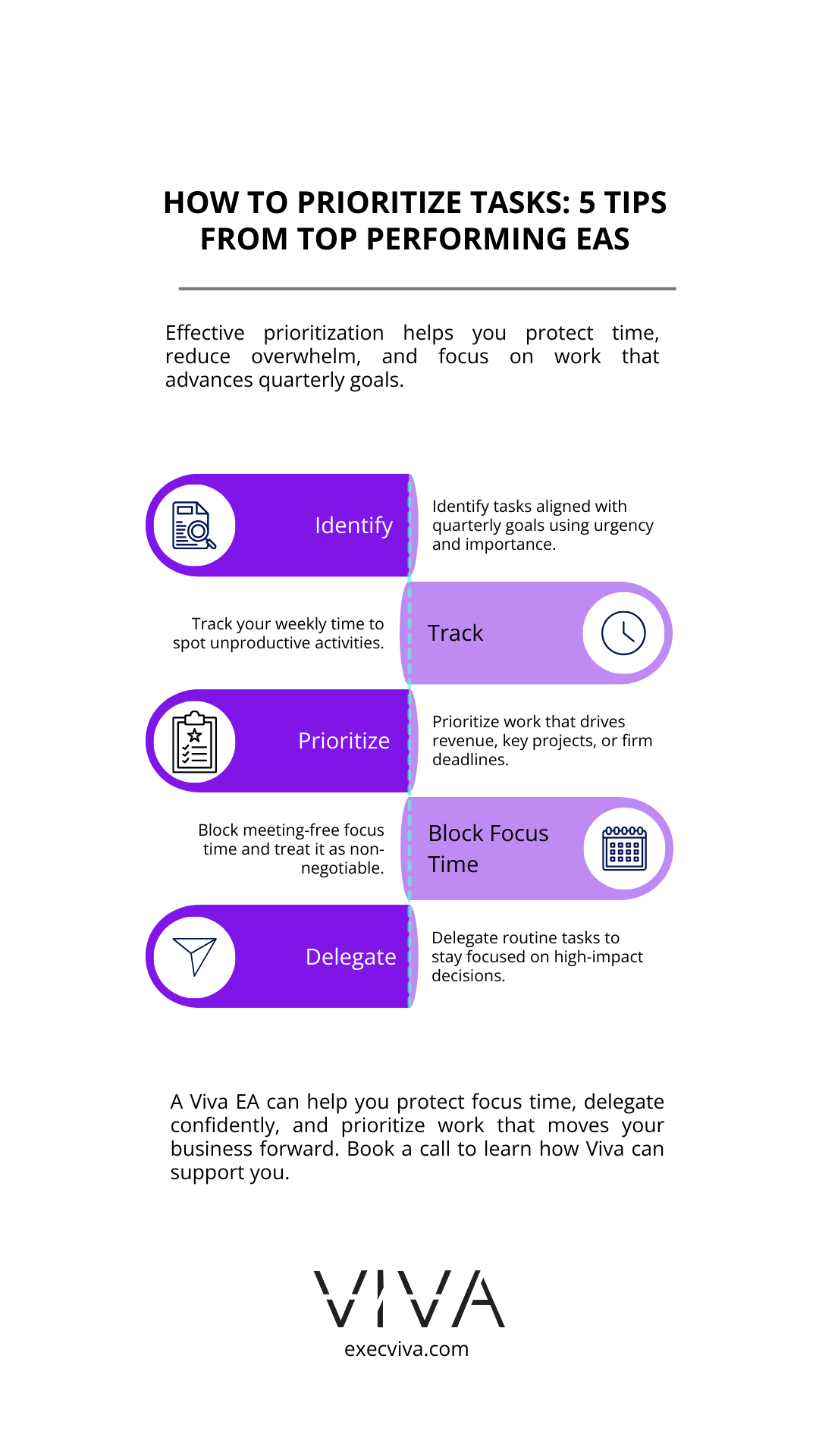
Table of contents
How to prioritize tasks: 5 Tips from top performing EAs
- How can you determine which tasks to prioritize first?
- How can you prioritize focus time instead of meetings?
- Why is delegation crucial to prioritizing tasks?
- How can saying “No” help you prioritize better?
- How can you keep an open line of communication when you’re ruthlessly prioritizing?
- Conclusion
1. How can you determine which tasks to prioritize first?
Analyze your tasks: To prioritize tasks, you can start by identifying which tasks align with your quarterly business goals. Sort them by urgency and importance using the Eisenhower Matrix to decide what to do, delegate, or defer.
Use time-tracking tools: Track how you’re spending time each week. This helps pinpoint unproductive activities and gives you a clear picture of where to focus your attention. You can use Toggl, Clickup, Monday, or other alternatives.
Set clear priorities: Prioritizing tasks becomes easier when you can break them down based on their impact. Here are detailed examples to help:
- Revenue-generating activities: If your goal this quarter is to grow revenue, prioritize meetings with high-potential clients, or work on new business proposals. For example, schedule time to meet with clients who have the potential to bring in more than $X in annual recurring revenue (ARR), while delegating smaller deals to other team members.
- Internal projects: Let’s say you’re planning a product launch. Prioritize tasks directly related to that project, like strategy sessions with your product development team. This could mean blocking time for reviews, approving timelines, and ensuring all stakeholders are aligned.
- Client vs. team management: If you lead a team and also have client-facing responsibilities, it’s critical to decide where your attention is most needed. For example, if a major customer is experiencing issues, that takes precedence over routine check-ins with your team, which can be handled by your virtual executive assistant or done async or with another team lead.
- Deadlines and urgency: For tasks with hard deadlines, like board meeting preparation or investor reports, create a timeline that factors in due dates. These tasks could have priority over activities without strict deadlines, such as reading industry updates or posting on social media.
2. How can you prioritize focus time instead of meetings?
Focus time is crucial for executives because it allows for deep, uninterrupted work that drives strategic decisions and high-level planning. Without focus time, it’s easy to get lost in a cycle of meetings that prevent you from addressing the tasks that truly move business forward. Focus time helps clear mental space, fosters creativity, and allows you to work on high-priority items that require uninterrupted, undistracted concentration.
Here is how you can prioritize focus time instead of meetings:
- Limit unnecessary meetings: Not all meetings need your direct involvement. Meetings with customers under a certain revenue threshold can be handled by another team member, for example.
- Review potential outcomes: Consider whether the potential benefits of a meeting justify spending your time attending it. If a meeting won’t significantly impact your business goals, delegate it to someone else.
- Set meeting-free blocks: Reserve time on your calendar for focused work. These blocks should be treated as non-negotiable, just like your most important meetings.
Here are 3 examples of how you can use your focus time to prioritize tasks at work:
- Strategic planning: Whether you’re mapping out a new product launch or revising your company’s growth strategy, strategic decisions require uninterrupted focus. Meetings break up this process, making it harder to concentrate on long-term thinking.
- Investor reports: Preparing reports or presentations for investors often involves analyzing complex data, financials, and forecasts. Carving out focus time ensures that these high-stakes tasks are done with accuracy and clarity, without the distraction of back-to-back meetings.
- Decision-making: Whether it’s deciding on a new hire or weighing the potential of a partnership, having focus time allows you to do thorough research, think through implications, consider alternatives, and make informed choices.
3. Why is delegation crucial to prioritizing tasks?
Assigning clear responsibilities to team members and your virtual executive assistant ensures that routine tasks, such as scheduling, responding to emails, or project follow-ups, are handled without your constant oversight, allowing you to focus on high-impact decisions.
Here are tips to help you delegate more frequently and confidently:
- Delegate wisely: Start by evaluating tasks that don’t require your direct input. For example, if an email doesn’t align with your expertise or your role, forward it to the right department head.
- Assign clear ownership: Clearly define roles and responsibilities so that team members know what they are accountable for. This allows your executive assistant to handle routine tasks, like scheduling or answering inquiries, while you focus on high-impact decisions. This shouldn’t become a time-consuming task; otherwise, it defeats the purpose.
- Empower your team: Encourage team members to make decisions within their areas of expertise without needing constant approval. Reward proactiveness and teach your team how to be more proactive in their roles.
When a team member makes a mistake, focus on how they move forward. Brian Halligan, CEO of HubSpot, shared a lesson from Duke’s Coach K, the winningest coach in men’s basketball. After a missed shot, Coach K would shout, “Next play,” to stop players from compounding their mistakes by making rash decisions. Halligan applied this mindset at HubSpot, encouraging his team to learn from errors and move on. This approach helps create a culture where failure is a lesson, not something to dwell on or overcorrect.
Here is a list of tasks that you can delegate to your executive assistant.
4. How can saying “No” help you prioritize better?
Learning to say no is a key skill for effective prioritization. It’s not about rejecting opportunities, but ensuring you have time and focus for what truly matters.
- Evaluate opportunities: Saying no isn’t about turning down everything, but about making sure you’re saying yes to the right things. Assess whether new requests align with your current priorities and goals.
- Communicate clearly: Set boundaries with your team about which tasks or requests should come directly to you and which can be handled by others.
- Share decision-making with your EA: Empower your executive assistant to make decisions on your behalf. For example, your EA can filter meeting requests and prioritize those that are most aligned with your key objectives.
5. How can you keep an open line of communication when you’re ruthlessly prioritizing?
Ruthless prioritization is the act of focusing solely on the most critical tasks that directly align with your goals, while filtering out distractions.
It doesn’t mean you’re cutting off communication with your team, customers, or stakeholders. Your executive assistant becomes the open channel of communication by delegating, deferring meetings, or saying no to less critical tasks.
For example, during an investor meeting week, your EA can manage all internal meetings, ensuring you’re fully prepared for investor presentations while keeping your team informed and connected.
This way, you’re always within reach for urgent matters, but your EA handles day-to-day flow, allowing you to stay aligned with your top priorities without sacrificing responsiveness.
Conclusion
Prioritizing tasks effectively can drastically improve your productivity and decision-making. A great way to do this is by deciding which meetings to attend, establishing focus time slots, delegating, and learning to say no.
Viva Executive Assistants provide high-quality, proactive, and intuitive EAs who can help you focus on what matters most. Their strategic support enables executives to streamline workflows, regain focus time, and achieve better outcomes.
Learn more about how Viva Executive Assistants can help you by booking a call with us today.