Executive Assistants
Executive assistant to CTO: How can they help?
Jul 11, 2024
5 min read


If you’re a chief technology officer, you may save all your hiring spend for professionals with a technical background. If you don’t know what the executive assistant to CTO relationship can bring to the table, you may want to take a look at these real-life cases.
Table of contents
- Why should CTOs get an executive assistant?
- How can an executive assistant to CTO help out?
- 13 ways CTOs can leverage their executive assistants
Why should CTOs get an executive assistant?
As a member of the executive leadership team, chances are you have too many projects to tackle, a large team to handle, and too many meetings to attend. Even if you are the only person who can make certain decisions or produce highly technical projects, there are other aspects of your work that could be delegated to an executive assistant.
Answer this question honestly: Have you ever fallen behind when developing a new product? Do you keep postponing R&D sessions? If you said “Yes” to either one, then you need someone to help you share your workload. You need someone who acts as a gatekeeper for your schedule, someone who holds you accountable and keeps nudging you in the right direction. The best person to do that is an executive assistant.
Have you reached your productivity potential? Take our 3-minute quiz to find out.
How can an executive assistant to CTO help out?
As a company that specializes in pairing remote executive assistants with all kinds of members of the leadership team, we’ve seen the impact an EA can have on an executive in every role: from the CEO to the VP of product, CISO, and of course, the CTO.
You may think that an executive assistant performs the same tasks no matter which executive they’re supporting, but the EA role changes dramatically depending on the type of company, as well as the executive’s role, personality, and working style. The executive assistant to the CEO spends a lot of their time helping with board meeting prep, while the EA to the CPO focuses on coordinating meetings, including agenda preparation and documentation of next steps.
But what can an EA do for a CTO like you? We asked each executive assistant to the CTO at Viva about all the things they do to help their executives be better at their jobs, and this is what they told us.
13 ways CTOs can leverage their executive assistants
As we mentioned before, you might think that your role is too technical and that delegating truly impactful projects to an executive assistant is not the best use of your time. But Viva’s EAs are highly skilled and tech-savvy power users of some of the most popular tools used in startups all across the US. Plus, they also participate in an intensive business boot camp when they join Viva, regardless of how many years of experience they bring to the role.
These 13 examples are real-life cases shared with us by our EAs. They all support a chief technology officer from an American startup, and they’ve all made their executives better at their jobs, whether by managing their time, handling IT projects, or even alleviating some of their personal life stressors. If these CTOs are delegating such impactful work, you would too.
1. Reinstate projects that fell through the cracks
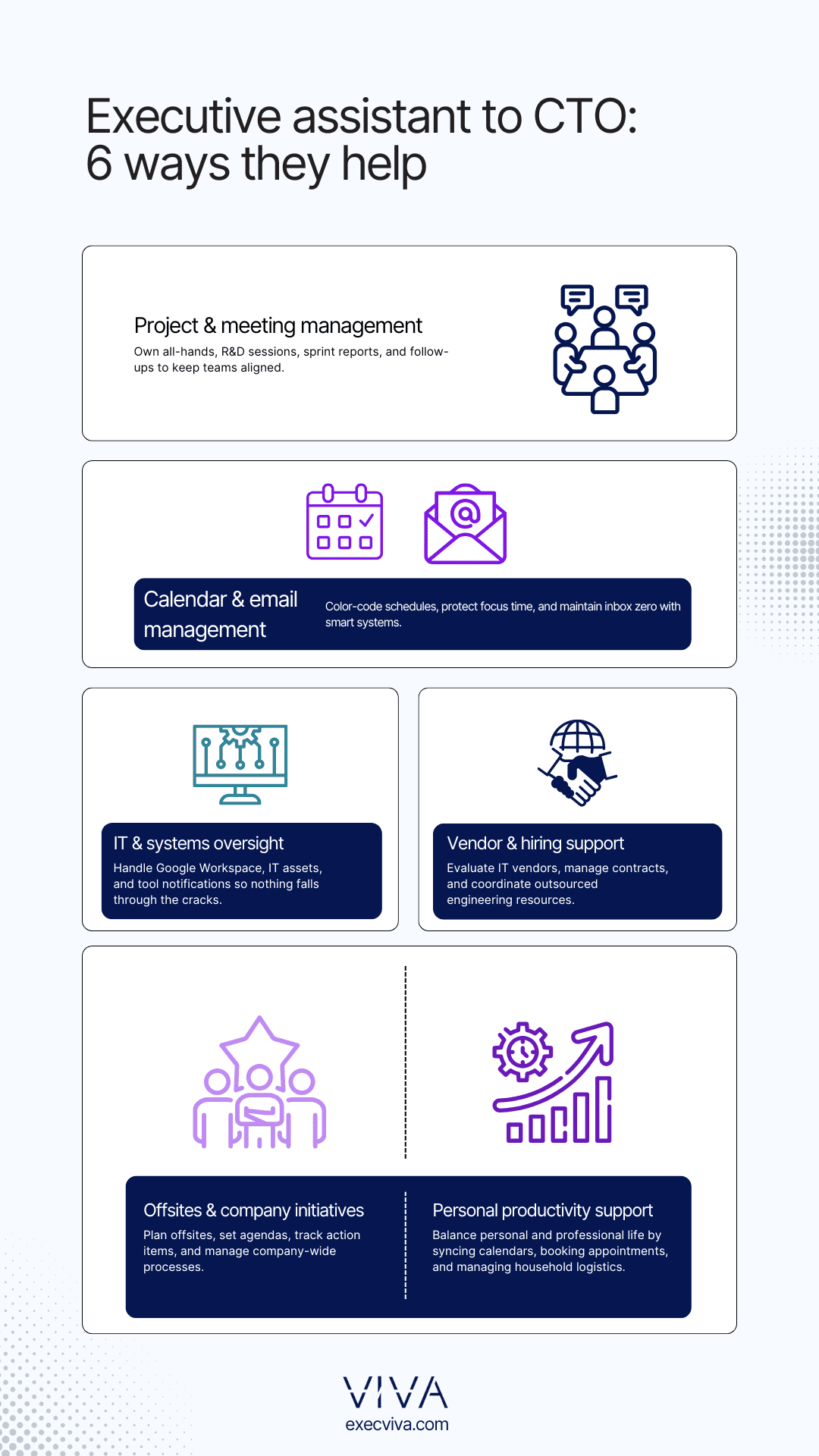
The engineering all-hands meetings were held semi-annually, not because it was the CTO’s preferred cadence, but because nobody had time to plan it more frequently. Once Viva EA joined the company, the meeting became her responsibility and it now takes place every month. This cadence allows for better coordination among over 100 team members, including engineers, machine learning experts, and project managers.
2. Delegate Google Workspace ownership
This executive assistant took ownership of Google Workspace management, creating emails, delegating accounts, managing access in Drive, and adapting organizational units. This comprehensive approach ensures the executive never has to worry about Google Workspace operations.
3. Serve as the point of contact for IT management
This executive assistant oversees computer procurement, IT asset tracking, and computer tracking for new hires and onboarding, ensuring smooth IT management. The best benefit to her CTO? The CTO doesn’t even have to get involved in the process.
4. Own and manage vendor relationships
One of our executive assistants evaluates IT vendors, researches alternatives, and performs assessments to rate their services. These evaluations play a crucial role in decision-making for future contracts.
5. Create a new system for better email management
This executive assistant enhances email efficiency by categorizing emails based on importance, She also implemented multiple inboxes and created topical labels for easy identification. This system allows the CTO to focus on high-priority messages and reach inbox zero every day.
6. Implement color coding for effective calendar management
The executive assistant uses color coding to differentiate among meetings with direct reports, team meetings, and client appointments. Additionally, they reserve daily focus time for the executive to concentrate on tasks requiring uninterrupted attention. This generates predictability in the CTO’s calendar and allows him to see what his day looks like at a single glance.
7. Maintain a proactive inbox zero approach
This executive assistant manages and cleans all notifications from tech tools to prevent email clutter, ensuring the executive’s inbox remains organized.
8. Act as Google Groups moderator
This executive assistant manages and updates Google Groups across all Engineering and Product teams, keeping communications updated and simplified.
9. Manage commercial relationships
The executive assistant manages commercial relationships with contracting vendors to hire engineers for specific needs, ensuring the best talent is sourced efficiently.
10. Delegate meeting ownership
Taking charge of the departmental R&D all-hands monthly meeting, this executive assistant prepares the deck, creates the agenda based on recent sprints, and hosts the session, providing seamless meeting management.
11. Envision and implement company-wide initiatives
The executive assistant oversees the bi-weekly sprint report that is shared company-wide, summarizing the sprint’s output across all workstreams to provide comprehensive visibility into the team’s work.
12. Take charge of offsite planning
Managing offsite planning, the executive assistant aligns team expectations, plans for H1/H2, adjusts roadmaps as needed, compiles notes creates an action item tracker, and follows up to ensure all items are completed.
13. Provide some personal assistant support
Even though we suggest executives leverage their EAs for business-related needs, there are cases in which the exec’s biggest pain points are not work-related. One of our executive assistants actually supports her CTO on a personal level more than on a professional one.
By coordinating with his wife, the EA manages her CTO’s calendar to avoid conflicts with personal commitments and vets household staff, ensuring a well-balanced personal and professional life. The support this EA provides improves her executive’s performance at work, making him happier and more productive.
As you can see from these examples, there is so much an executive assistant can do besides what’s outlined in their job description. Sure, they can manage your email and take care of your calendar, but they can also take full ownership of the entire projects you are currently tackling yourself.
We know that delegating is challenging, especially to a new team member who doesn’t have the professional background you do, but when you hire a top player whose number one goal is to make you succeed at your job, then you can trust they will do everything in their power to make that happen.
Now that you know executive assistants can be key to a chief technology officer, do you really want to keep missing out? If you’re considering adding an EA to your team, let’s chat. We can help you navigate the process and pair you up with the best EA for your needs.
FAQs
- What is the role of an executive assistant to the CTO?As a member of the leadership team you a lot of priorities, but an executive assistant has one priority that is always at the top: making sure you succeed at your job. An executive assistant to the CTO will hold you accountable, ensure you’re focused on the most important aspects of your job, and help you be more productive every day.
- What else can a CTO delegate to an executive assistant?An executive assistant is an extension of their leader, which means they have a deep understanding of the CTO’s responsibilities. If you have to make executive decisions regarding the purchase of IT equipment, you can delegate vendor research and hardware delivery for all team members; and if you have to create and implement new systems, your EA can create the SOPs and ensure implementation by all team members.
- How does Viva handle the integration of their EAs into a CTO’s existing team and workflows?To integrate our EAs into a CTO’s existing team and workflows, we conduct an onboarding process that involves understanding the CTO’s specific methods and team dynamics. Our customer success team provides permanent training so our EAs are always up to date with the industry’s best practices. This helps ensure a smooth transition and seamless collaboration.