Executive Assistants
Executive assistant to the CEO. How can they help?
Jun 27, 2024
7 min read


All startup executives can benefit from receiving support, but the one who tends to experience the most impact is the CEO. If you’re a startup CEO and don’t have an EA yet, you should seriously consider getting one. Why is the executive assistant to the CEO so important? Keep reading to find out.
Delegate these 10 tasks to your EA and start working smarter.
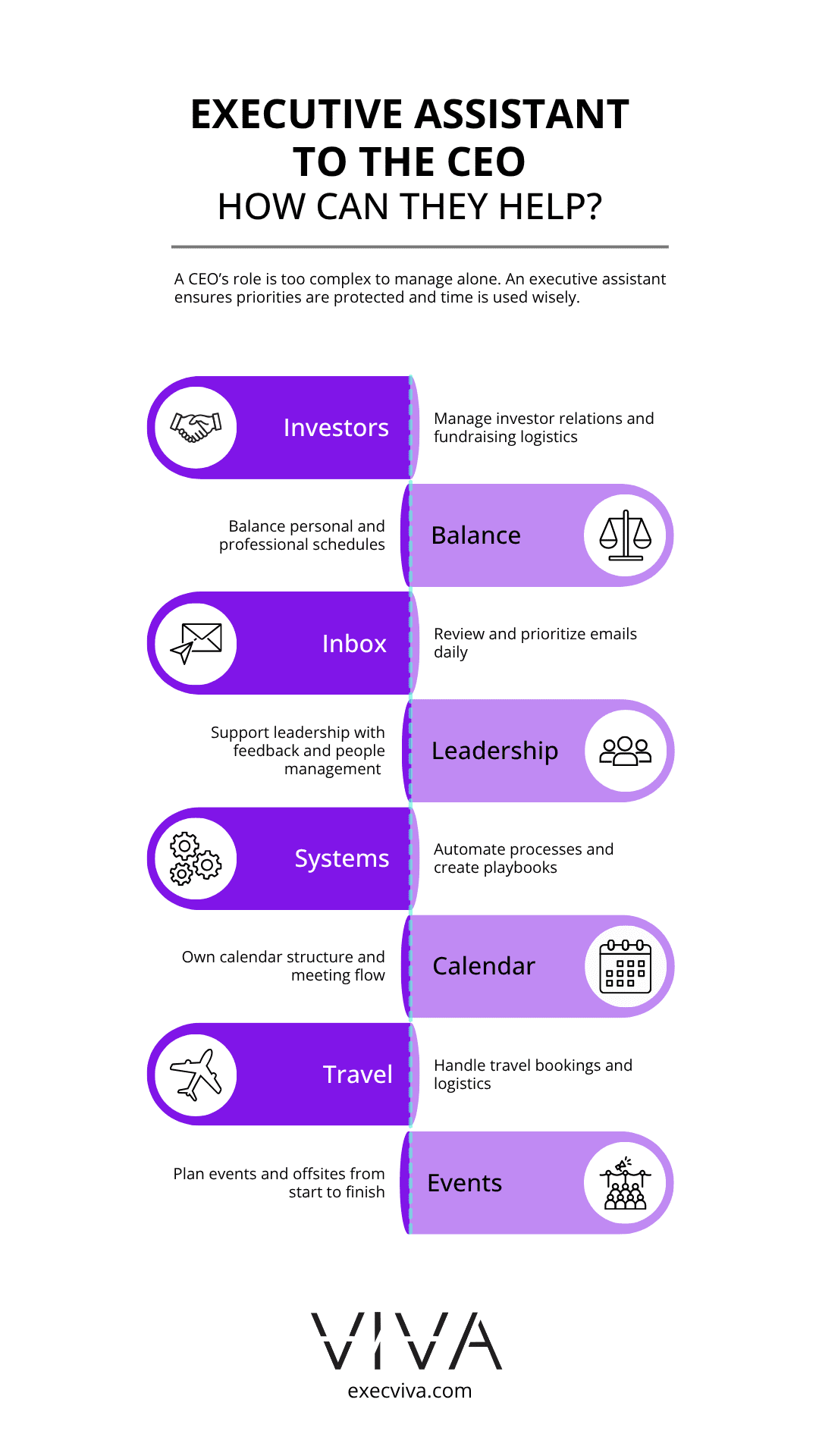
Table of contents
- Why should CEOs get an executive assistant?
- How can the executive assistant to the CEO make them more productive?
- Fourteen ways CEOs can leverage their executive assistants
Why should CEOs get an executive assistant?
If you look at the job description of an executive assistant, you’ll find the same support buckets on each of them, but there are enough startup CEOs who are not aware that EAs can even proofread docs, or renovate entire processes for the company.
Why executive assistants are important? True leaders know how to leverage their EAs beyond their job description and receive a bigger impact than they expected. As a company that pairs startup executives with top-notch EAs, we’ve seen how the executive assistant to the CEO makes it possible for the leader to stay organized, deliver truly impactful work, and stay up to date with their to-do list. But how do they make that happen?
How can the executive assistant to the CEO make them more productive?
The executive assistant to the CEO is many things: a gatekeeper for their calendar, a communication channel between the CEO and the larger team, a travel planner, an expense manager, and much more. That’s why, when a CEO operates solo, it’s a matter of time before they fall behind on one of the many components of their role. We asked all the Viva executive assistants who support startup CEOs to share how they make their execs more productive. This is what they told us.
Fourteen ways CEOs can leverage their executive assistants
These are fourteen real-life use cases for startup CEOs to leverage their EAs beyond the expected areas. If you want to make the most of your time and the executive support you’re receiving, we strongly encourage you to have your EA incorporate these strategies into your day-to-day work.
1. Fundraising and investor relations
- Maintain a private investor CRM with updated information, including contact details, check sizes, and stage interests.
- Schedule investor meetings, handling extensive rescheduling to accommodate all calendars.
- Work on drip marketing projects for high-profile clients, including postcards, letters, brochures, and digital welcome kits.
2. Work-Life integration
- Adapt to last-minute changes in travel plans and reschedule external meetings to maintain a balanced schedule.
- They can review your calendar weeks in advance to reschedule meetings planned during holidays or trips.
- Support you with personal projects, such as creating a personal mileage tracker to keep records of working locations and report mileage.
3. Email management
- Your EA can send a daily Slack message summarizing the most important emails in your inbox.
- They can create drafts for follow-up conversations and meeting requests.
- Upon receiving a follow-up email requesting a meeting, your EA can book the meeting based on its priority.
- Daily inbox reviews can categorize emails into Urgent & Important, Important, and Neutral, drafting responses for the most critical emails.
- They can issue a concise message, highlighting the top three emails needing immediate attention.
- Your EA can handle follow-ups on specific topics, forward invoices to accounts payable, and manage HR matters.
4. Leadership and people management
- Discuss team member issues and provide guidelines for giving feedback and conducting difficult conversations.
- Appoint your executive assistant as your tech stack power user for one or several tools.
- Have your EA remind you of staff birthdays or anniversaries and entrust them with buying presents or tokens of appreciation.
5. Automate company processes
- Improve automation within the company, onboard staff, and use AI to track your team’s productivity.
- Renovate the PTO process for the entire company (Notion page, calendar, platform).
- Create playbooks to standardize the use of new software or get new team members up to speed.
6. Calendar management
- Establish protocols for meetings and appointments, with exceptions based on your location.
- Your EA can join internal meetings to take notes and synchronize the next steps and actions.
- They can organize and oversee your calendar by scheduling meetings, setting reminders, prioritizing tasks, avoiding conflicts, managing recurring events, updating changes, and blocking time for urgent or strategic tasks.
- They can reserve early mornings for internal meetings with the overseas team, afternoons for external meetings and the American team, and balance the overall schedule to ensure focus time and priority for internal meetings.
- Your EA can delete non-essential group meetings, block 1:1s, and schedule external meetings for optimal time management.
- Your EA can check for conflicts throughout the day and week, gathering information from meeting organizers to share updates.
- They can schedule external meetings in blocks for a hard stop and add reminders for visibility.
7. Customer and prospect research
- Create customer journey maps to visualize the experience from a potential customer’s perspective, addressing needs and pain points at each stage.
- Filter a list of hundreds of conference attendees, and design a personalized outreach campaign.
8. Travel management
- Assist with flight and hotel booking, and collect all travel receipts.
- Book hotels for you and your team, handle transportation arrangements and manage registrations for events.
- Utilize a travel planning template shared with you for real-time access to all travel arrangements, including backup options for emergencies.
- Develop a system for travel decision-making, preparing options with the necessary information for you to approve quickly.
- Add travel time and addresses for meetings and travel commitments to avoid scheduling conflicts, with flexibility for calls if needed.
9. Event planning
- Plan offsites from scratch, including creating databases, negotiating with hotels, sending invitations, and being the main point of contact during the event.
- Arrange meeting rooms in hotels where you stay, even if you prefer to book your own travel.
10. Expense management
- Ensure expense reports are always up to date, reminding you to share receipts received via personal email.
- Review all invoices in Bill.com, ensuring proper approval processes are followed.
- Add a filter to your personal email to automatically forward any emails with credit card details, and create a Slack channel for sending pictures of physical receipts to avoid missing any.
11. Conference support
- Provide flight options, hotel suggestions, meals, and transportation, and handle the registration process for conferences.
- Prepare everything for conferences, including headshots and bios, and attend prep calls with organizers, providing all necessary information in a briefing document.
- Schedule breaks and networking sessions during events, adding reminders for sessions of interest.
- Create draft decks and track the progress of speakers involved, ensuring presentations are cohesive and complete by the deadline.
12. Board meeting prep
- Set quarterly reminders for board meeting prep, including document preparation, databases, and pitch decks.
- Block off the entire week before board meetings, canceling non-urgent appointments and following up with affected individuals.
- Incorporate focus time for working on the board deck, while ensuring sufficient travel time for investor appointments.
13. Hiring and training new staff
- Screen job applications on Greenhouse, and schedule interviews with the appropriate direct reports.
- Allow buffer time after each interview for completing scorecards.
- Assist with onboarding by setting up credentials, scheduling 1:1 sessions, and sending welcome emails to ensure new hires are prepared.
14. Meeting support
- Fully own weekly leadership team meetings and Monthly All Hands, requiring only minimal input from you.
- Create PowerPoint decks for weekly staff calls, take meeting notes, send notes to attendees, and update the company’s SharePoint.
- Coordinate meeting requests, adding them to email threads and specifying preferred times, and diligently log meeting minutes on HubSpot.
- Schedule external meetings, considering international time zones for smooth coordination.
- Review each scheduled meeting to confirm attendance and reschedule if necessary, based on team member feedback.
As you can see, the executive assistant to the CEO is responsible not only for the expected work, such as calendar and email management but also for delivering results beyond their job description.
Your job is to make sure your startup makes it. Your EA’s job is to guarantee you succeed at it. If you still don’t have an executive assistant and want to bring one on, talk to our team. They will pair you up with the best EA for your company’s needs.