Executive Assistants
Convince your CEO to hire an EA for you in 4 steps
Jul 5, 2024
5 min read



No one knows how heavy your workload is better than you. While you might be completely ready to hire an EA, what should you do if your CEO is not sure that you need one? There are many reasons for a startup CEO to be reluctant about getting you executive support, but there is a good answer to address each of their concerns. This blog will help you build the case for an executive assistant and finally get the support you need.
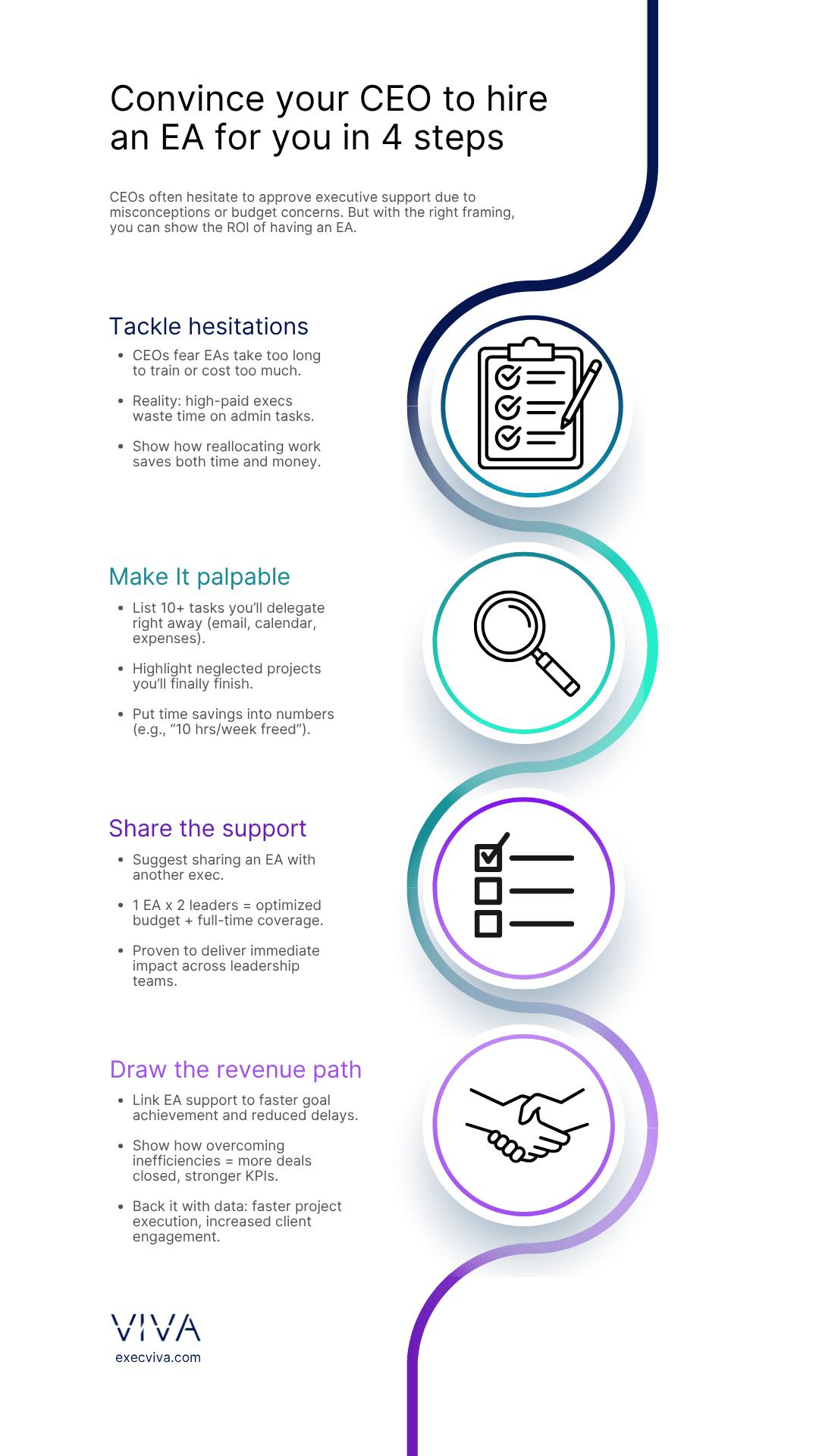
Table of contents
- Step 1: Tackle existing hesitations
- Step 2: Make it palpable
- Step 3: Show the exponential impact of sharing an EA
- Step 4: Draw a clear path toward revenue
Step 1: Tackle existing hesitations
In our experience, most startup executives who refuse to hire an EA make that decision based on misconceptions. Some of them feel like getting an EA makes them look bad; others think it takes more time to train an EA than to do their job by themselves, so your job now is to convince your CEO none of those are true.
Among all the reasons a CEO may say no to executive support is if the numbers simply don’t add up. Budget constraints or the inability to increase headcount are common rationales given for not hiring an EA. These concerns are valid, but there are good answers to tackle even the hardest hesitations.
How to address budget constraints?
There’s almost nothing you can say when the answer is, “We don’t have the budget” – except when you know that budget is actually being spent, just on the wrong person. Saying no to an executive having an EA doesn’t mean that the company is keeping one salary in their pocket; it means that they’re paying a high-profile vice president or C-level executive to perform the tasks of an executive assistant.
Your hourly rate is much higher than that of an executive assistant, yet your CEO is choosing to pay you to perform calendar and email management, plan your own trips, manage your expenses, reschedule meetings, and deal with many other daily tasks that could be delegated to someone else.
Explaining how inefficient it is for high-salaried executives to perform administrative tasks, can make your CEO see that they’re misallocating two very valuable resources: time and money. After all, repetitive tasks are taking up valuable time you could be using to deliver impactful projects, come up with big initiatives, and much more.
The bottom line is, not hiring an EA is not saving your company money. They’re simply spending it in the wrong place: by paying high-profiled executives to act as their own executive assistants.
What to say if there’s no room to increase headcount?
There’s still a lot of confusion as to the differences among an executive assistant, an office manager, or a secretary. For that reason, many executives picture an EA as someone who helps them plan their trips, but also orders office supplies and brings them fresh coffee.
The reality is that executive assistants are more business partners than secretaries. In fact, some executives like to call them “thought partners” or “second brains.” Given that the nature of their support is more strategic (like acting as project managers) than practical (sitting at the front desk), there is no need for your EA to be hired as a full-time employee or even come to the office.
Explain to your CEO that a great way to hire an EA is through a subscription service. You can find a remote executive assistant who can support you full-time without the added costs and implications of hiring a new team member yourself.
Step 2: Make it palpable: Delegating tasks
Effective delegation is not simply passing a project along to somebody else. It’s knowing what part of your job you should personally take care of and which aspects of it could be done by somebody else. That level of understanding of your role and your company will ensure you stay hyper-focused on the things you do best, and avoid those activities that are not the smartest use of your time.
What is the role of an executive assistant? If your CEO doesn’t know what you could possibly need an executive assistant for, make it crystal clear. Make a list of all the tasks and projects you’re thinking of delegating once you hire an EA.
Delegate these 10 tasks to your EA and start working smarter.
Tell your CEO these 10 tasks are just the beginning of what you’re planning to delegate. You can also calculate how many hours a week that will save you to focus on other stuff. The real impact will happen when your EA takes ownership of major projects, freeing space in your calendar and your mind.
Specific tasks for your role
As with every other startup executive, there are probably a number of projects that you’ve been meaning to tackle but for one reason or the other haven’t gotten to. Those are the specific tasks to your role you can start delegating to your executive assistant. We know it seems challenging to let go of an important project and let your EA handle it, but from what we’ve seen, that’s where executives see the real impact of their EAs.
We asked all our customers how long it took them to see value from their executive assistant, and 68.27% told us that it took them less than a week to see the value of getting EA support. Imagine that, on top of seeing real impact, you see it in fewer than five days.
Make a list of all the neglected projects and forgotten tasks, and tell your CEO that, with the help of an EA, you’ll finally be able to pick those up. Make sure you also provide a completion deadline. A goal that is not time-bound is merely a nice thought.
Step 3: Show the exponential impact of sharing an EA
A lot of companies have a hierarchical way of providing executive support. The first person to get an EA is the CEO, then C-level executives, VPs, department heads and so on. But how can you get around that constraining policy? What if someone with a more senior title doesn’t have an EA yet and you need one now?
Our advice is to come to your CEO already prepared with an answer. Tell them that you can share an EA with one of those more senior execs, as long as they’re interested in getting support.
Having a full-time EA and leveraging them fractionally is a brilliant use of company resources. Our most popular package among customers is the 1:2 ratio (one EA, two executives). It’s popular because it’s a win-win for everyone involved. Two leaders get full-time support, the executive assistant can manage a full workload without diluting their impact, and the company budget is optimized by having one EA for two executives.
Step 4: Draw a clear path toward revenue
To convince your CEO to get you an executive assistant, emphasize how this support can directly impact revenue generation by allowing you to achieve goals faster and overcome key pain points.
Achieving goals faster
Explain that an EA can help you concentrate on high-value tasks and strategic initiatives by taking on time-consuming administrative duties. For instance, if your strategic planning is delayed because you’re bogged down with scheduling and email management, an EA can step in to handle these tasks, freeing you up to focus on growth and innovation.
Overcoming pain points
Identify your biggest pain points and illustrate how an EA can alleviate them. If you’re struggling with time management, missed opportunities, or inefficiencies in project execution, show how an EA’s support can speed up processes and enhance productivity.
Draw a direct line between these pain points and revenue. For example, if delayed project execution is costing the company potential clients, an EA’s involvement can accelerate timelines and improve client acquisition rates.
Provide a clear, data-driven argument by outlining how having an EA will help you achieve your KPIs faster. Make your case using metrics like reduced project turnaround times and increased client engagement. When you use concrete examples and data, your CEO will see the tangible benefits of bringing an EA on board.
If you want more inspiration on convincing your CEO to get you an EA, look at what our customers are saying. Their success should be enough to help you win the argument and get you the support you should be having.